Google Maps Reviews Export Tool
Export publicly available review details from Google Maps place pages to CSV or XLSX for your own analysis. Use exports responsibly and in accordance with Google's terms and applicable laws.
Start for freeNo credit card required
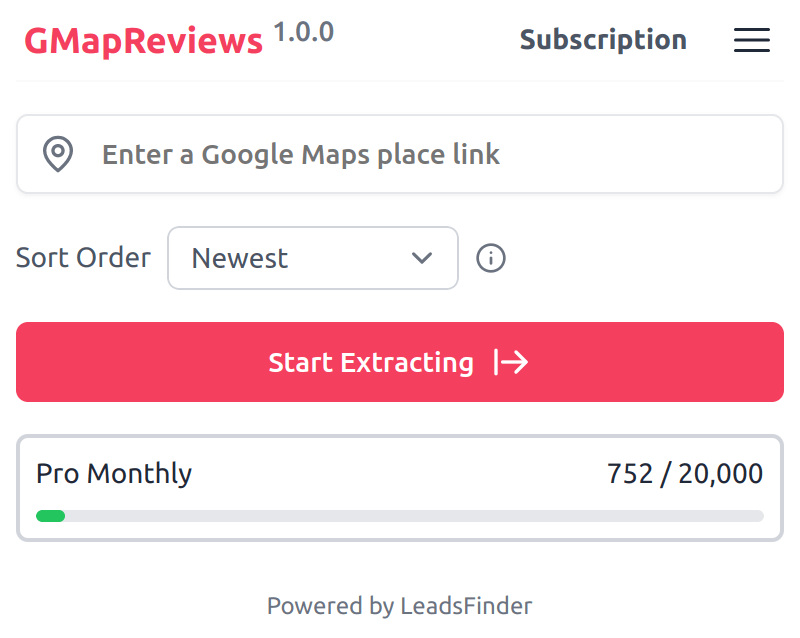
Export Google Maps Reviews
Enter a Google Maps place URL, choose the fields you need, and download the available review data in a structured CSV or XLSX file.
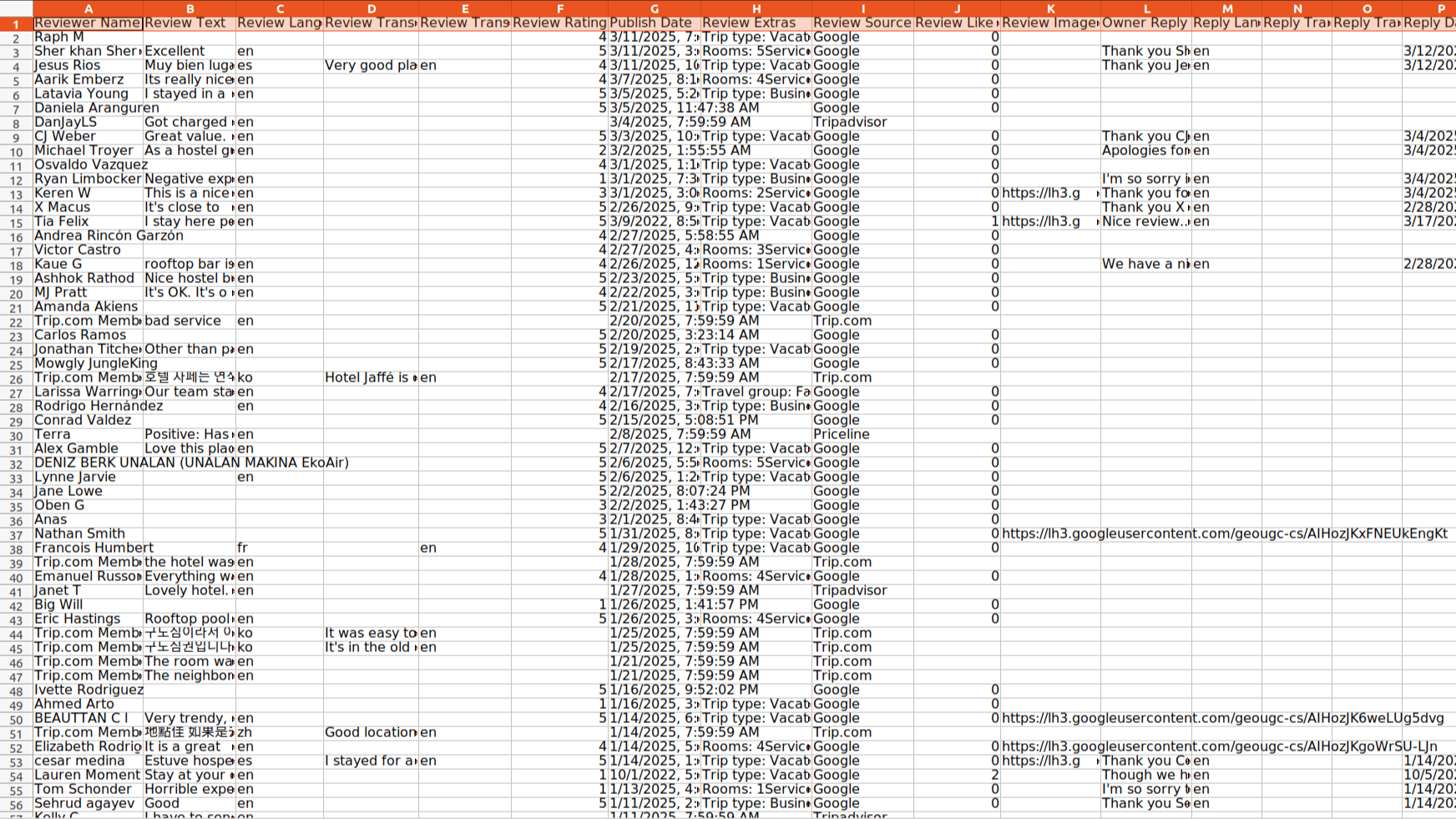
Supported export fields
The following fields may be available depending on the place page, review content, selected options, and source availability.
| Field Name | Description |
|---|---|
| Reviewer Name | The name of the reviewer |
| Review Text | The text of the review |
| Review Language | The language of the review |
| Review Translation | The translated text of the review |
| Review Translation Language | The language of the review translation |
| Review Rating | The rating of the review |
| Publish Date | The date the review was published |
| Review Extras | Additional review details for Hotels and Restaurants |
| Review Source | The source platform of the review |
| Review Like Count | The number of likes the review has received |
| Review Image URLs | The URLs of the images in the review |
| Owner Reply | The reply from the owner of the place |
| Reply Language | The language of the owner's reply |
| Reply Translation | The translated text of the owner's reply |
| Reply Translation Language | The language of the reply translation |
| Reply Date | The date the owner's reply was published |
| Reviewer Review Count | The number of reviews the reviewer has written |
| Reviewer Photo Count | The number of photos the reviewer has uploaded |
| Reviewer Information | The information about the reviewer |
| Reviewer URL | The URL of the reviewer's profile |
| Reviewer Avatar | The avatar URL of the reviewer |
Try GMapReviews
Start with the free plan and export available Google Maps review data for your own permitted use.
Pricing
Start for free, stay for the value.
Monthly
Yearly
Free
$0
Get started for free
- Export up to 1,000 reviews per month
- Export up to 20 reviews per place
- Export results as CSV or XLSX
- Choose export fields
Pro
$12/month
Suitable for trying out
- Export up to 20,000 reviews per month
- Export more available reviews per place, subject to source availability
- Export results as CSV or XLSX
- Choose export fields
Elite
$24/month
Perfect for heavy and advanced usage
- Export up to 60,000 reviews per month
- Export more available reviews per place, subject to source availability
- Export results as CSV or XLSX
- Choose export fields
Frequently asked questions
Feel free to contact us if you have any other questions.
What is GMapReviews?
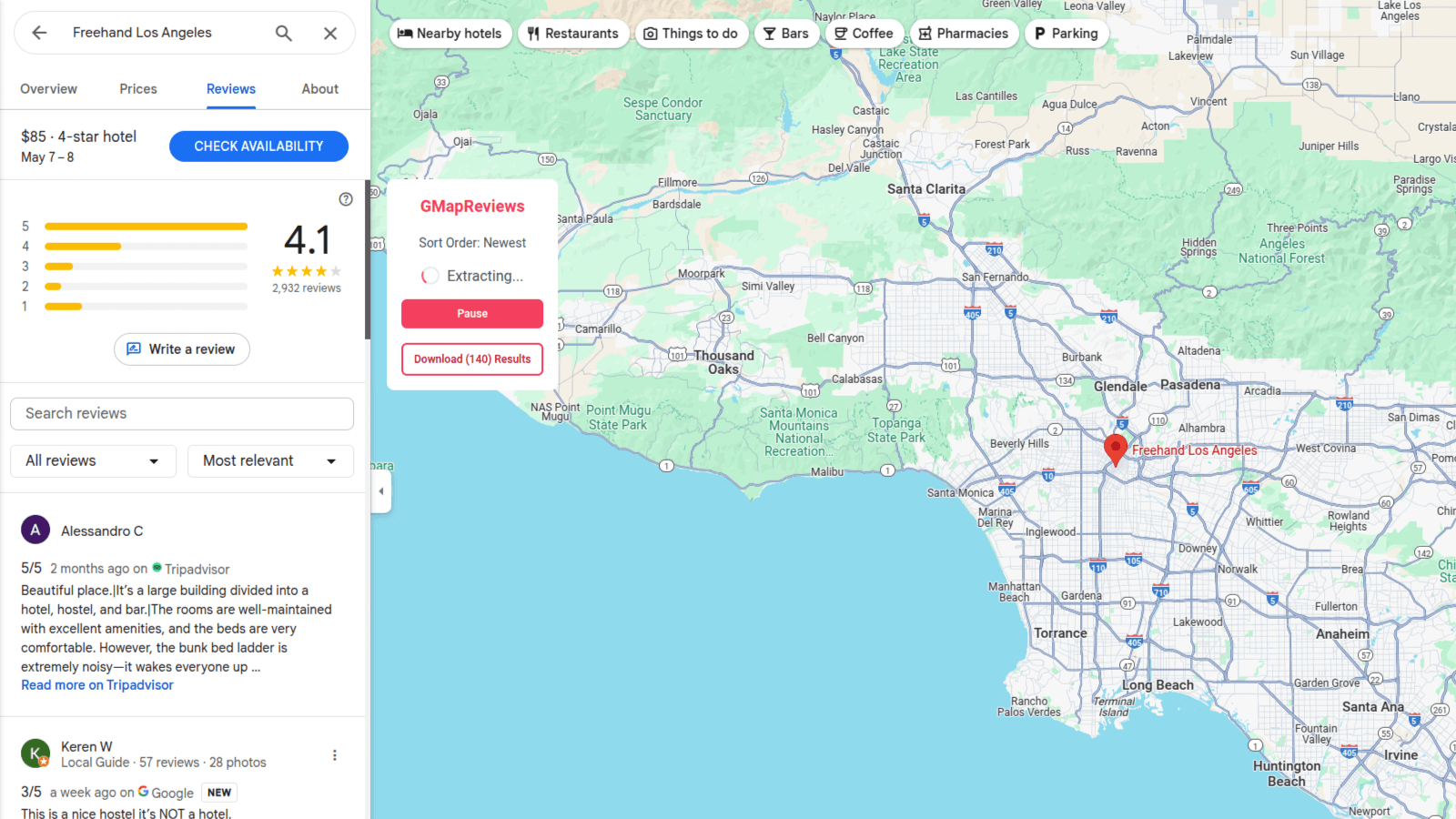
GMapReviews is a browser extension that helps export publicly available review data from Google Maps place pages to CSV or XLSX. Available fields can include review text, rating, date, reviewer details, and owner replies when those details are available from the source page.How to find a Google Maps place URL?
To find a Google Maps place URL, search for the location on Google Maps, open its details, and copy the URL from the browser address bar.
How to use GMapReviews?
To use GMapReviews, add the extension to your browser and create an account. After signing in, enter the Google Maps place URL for the reviews you want to export and click the "Start Extracting" button. When extraction is complete, you can download the available data to your computer.Why does it return fewer reviews than the number shown on the Google Maps page?
Please check your sort order option. The "Newest" option can return all reviews, while the other options cannot. This behavior is the same as that of the Google Maps webpage.
How to upgrade my plan?
To upgrade your plan, please contact our support team with the details of your desired plan. They will help you move to the plan that matches your needs.Can I cancel my subscription?
You can cancel your subscription at any time through your extension's subscription page. Once canceled, you will retain access to the subscription until the end of your billing cycle.